Youface logo

Youface

Unlock All Face Swap Templates

Sign in to unlock the full template library and keep browsing more face swap styles.

AI Face Swap for Videos, Photos and Dual-Person Scenes

Youface is a powerful AI face swap tool with rich high-quality templates. Create realistic video face swap, photo face swap, and double face swap results with natural blending and HD output in seconds.

After
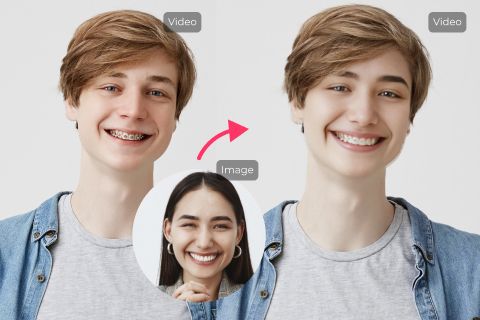
AI video face swap preview showing a motion-based scene with realistic results

Video Face Swap

Swap faces in videos quickly and naturally. Our video face swap AI preserves original quality, lighting, and motion while making anyone the star of the clip. Just upload your video and generate realistic HD results instantly.

After
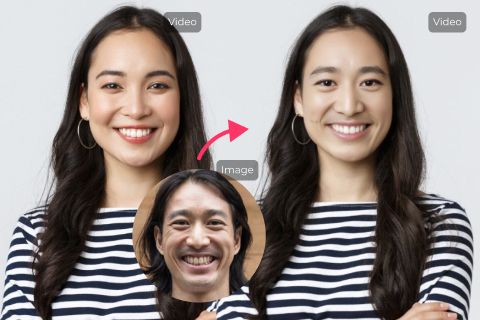
AI photo face swap preview showing a high-quality portrait result

Photo Face Swap

Easily swap faces in any photo with our AI face swap tool. Whether it's a solo portrait or group shot, upload a clear face and get professional-looking realistic HD face swap results in just a few seconds.
After
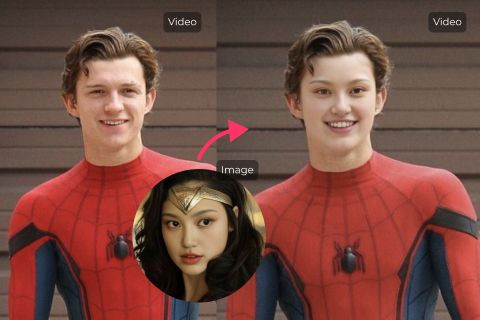
AI multiple face swap preview showing a shared group scene with natural results

Multiple or Dual Face Swap

Perfect for couples, friends, and group scenes. Our double face swap feature lets multiple faces blend naturally and harmoniously in one result. Ideal for couple content and creative dual-person swaps.

AI face swap video FAQ

Answers to the main questions users ask before creating a face swap video or photo online.

What is AI face swap?expand_more
AI face swap is a technology that uses artificial intelligence to replace one person's face with another in photos or videos. It creates natural-looking results by matching expressions, lighting, and movements. Youface makes this easy with rich premium face swap templates for Fashion, Ethnic Charm, Wedding Dress, and more.
How does Youface AI face swap tool work?expand_more
Youface combines advanced AI with a rich library of premium templates. Choose a template or upload your own video or photo, upload a clear face photo, and our AI automatically detects, matches, and blends the face while preserving natural motion and lighting. The whole process usually takes just seconds.
How to face swap a video or photo with Youface?expand_more
Choose a high-quality face swap template from our library such as Fashion, Ethnic Charm, or Wedding Dress. Upload a clear front-facing photo or select one from your saved face library. Click "Start Face Swapping," preview the realistic HD result, and download your video or photo.
Can I use Youface AI face swap for free?expand_more
Yes. You can try Youface for free with our premium templates. If you need more generations or longer videos, flexible credit plans are available.
What file formats and sizes are supported?expand_more
Photos: JPG, PNG, and WEBP, recommended under 20MB. Videos: MP4, with short clips recommended for the best results. Clear, well-lit, front-facing images usually produce the highest-quality output.
Can I perform double face swap or couple face swap?expand_more
Yes. Youface supports double face swap and couple face swap in both photos and videos. You can upload two faces or reuse saved ones from your face library.
Will my uploaded faces stay private?expand_more
Yes. Privacy is important to us. If you save a face to your face library, it stays linked to your account so you can reuse or delete it later. Uploaded data is processed only for creation, and you stay in control of saved faces.
What makes Youface different from other face swap tools?expand_more
Youface offers a rich premium face swap template library built for Fashion, Ethnic Charm, Wedding Dress, and trending styles, combined with natural blending and realistic HD output. That makes it faster and easier to create professional-looking results.